







Ollocode

An agent that finishes the job.

Describe what you want to build or fix: Ollocode's agent writes the code, runs it and fixes it until the tests pass. With local models, and nothing ever leaves your Mac.

Version 0.66.0 macOS Free

Real screenshot of Ollocode

Ollocode is a macOS IDE with an agent that uses only local models, through Ollama or Apple MLX: no cloud, no API keys. It reads the project, writes to the files, runs tests and programs, reads the errors and does not call a task done until it has verified it. On local projects and on remote servers over SSH.

An agent that finishes the job.

The IDE with an AI agent that runs entirely on your Mac.

An agent that checks its own work.

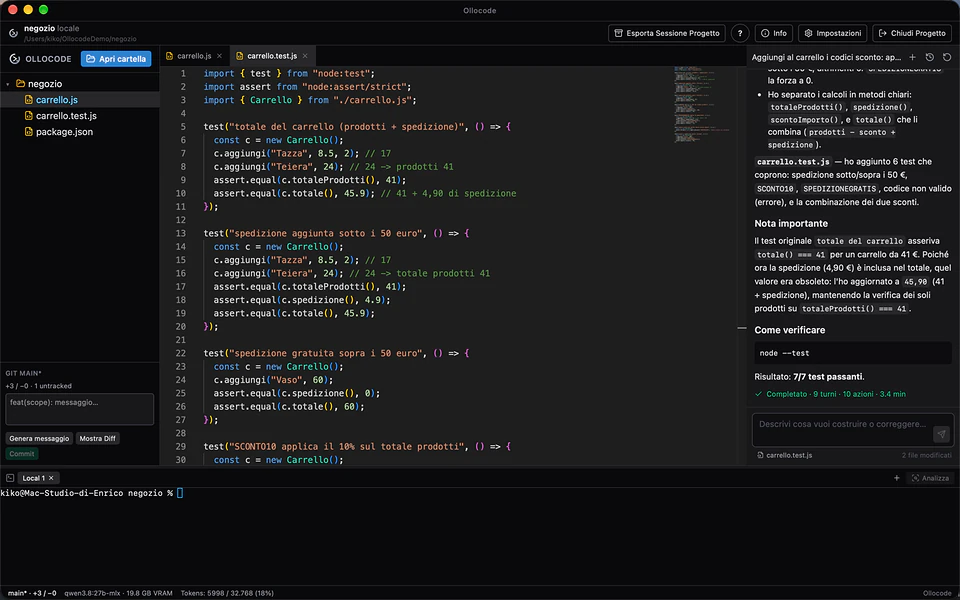
It does not just suggest code: it writes it to the files, runs it and checks the result. It will not call the job done if tests fail, if the last change was never run, or if tasks are still open on its list.

  • Task list always visible
  • Every change is run before it counts as done
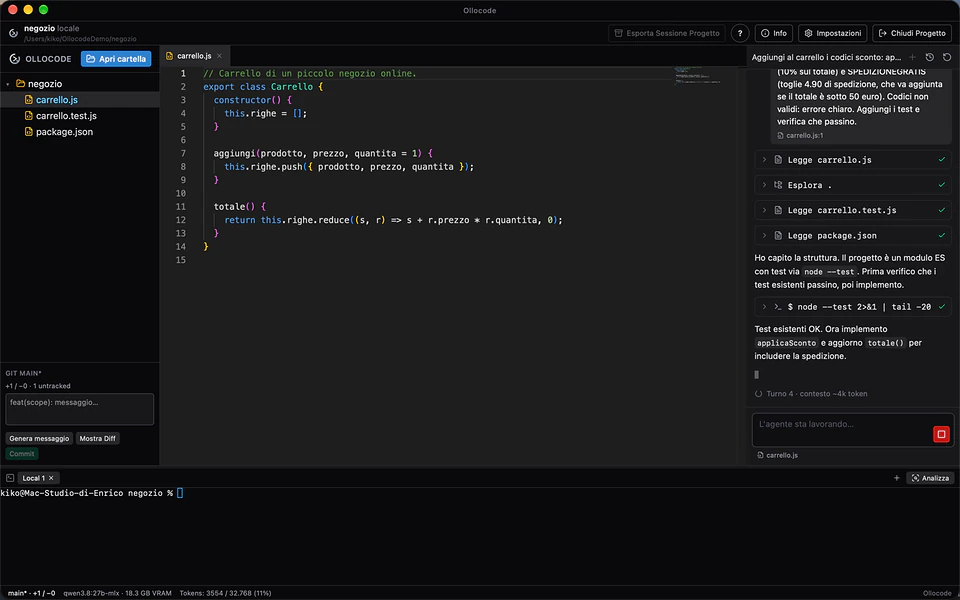
An agent that checks its own work.

From request to verified code.

Ask for a feature or a fix. The agent reads the files, writes the code, runs the tests and shows you what it verified and how.

  • Test results in the answer
  • Commands to verify it yourself
From request to verified code.

Editor, diffs, Git and terminal.

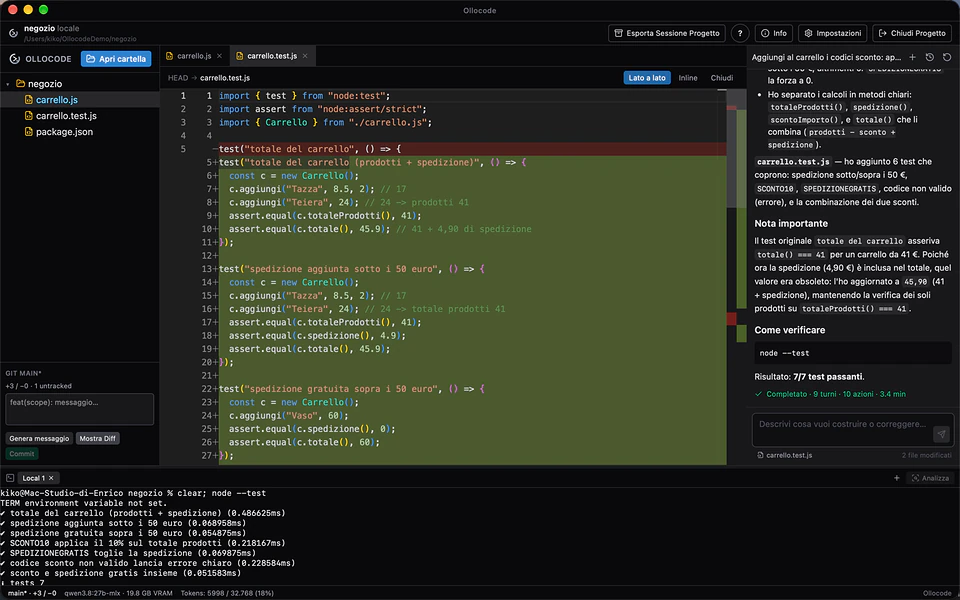
Monaco editor with inline completion from a local model, diffs against the last commit, a Git panel with a generated commit message and an integrated terminal.

  • Inline completion with qwen2.5-coder:1.5b (1 GB)
  • Commit messages generated locally
Editor, diffs, Git and terminal.

On the server too, over SSH.

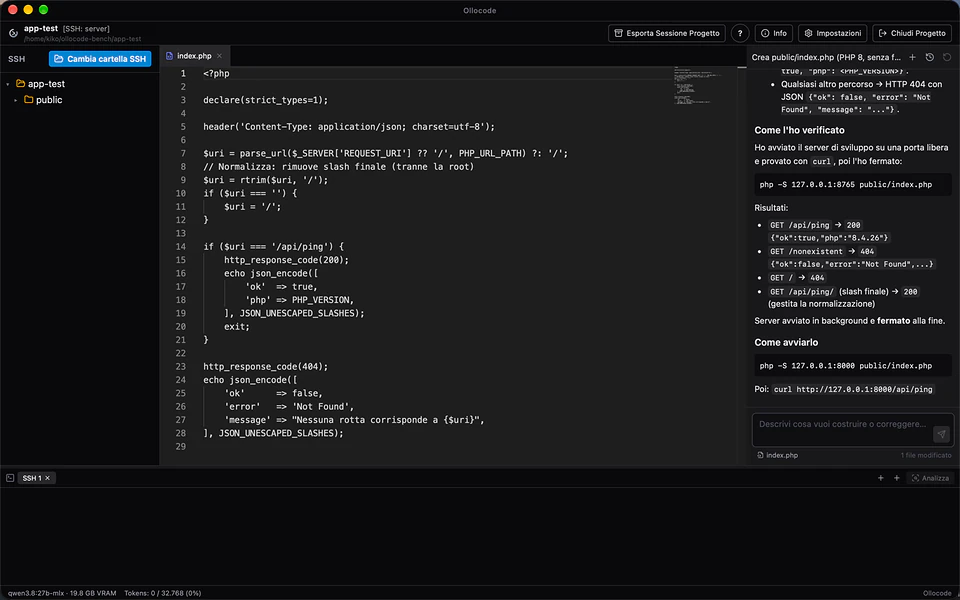
Open a folder on a Linux server with your SSH key: files, terminal and agent work directly on the server. Built for LAMP stacks too, with PHP, MySQL and WordPress.

  • In the example the agent builds a PHP API and verifies it with curl
On the server too, over SSH.

It adapts to your Mac.

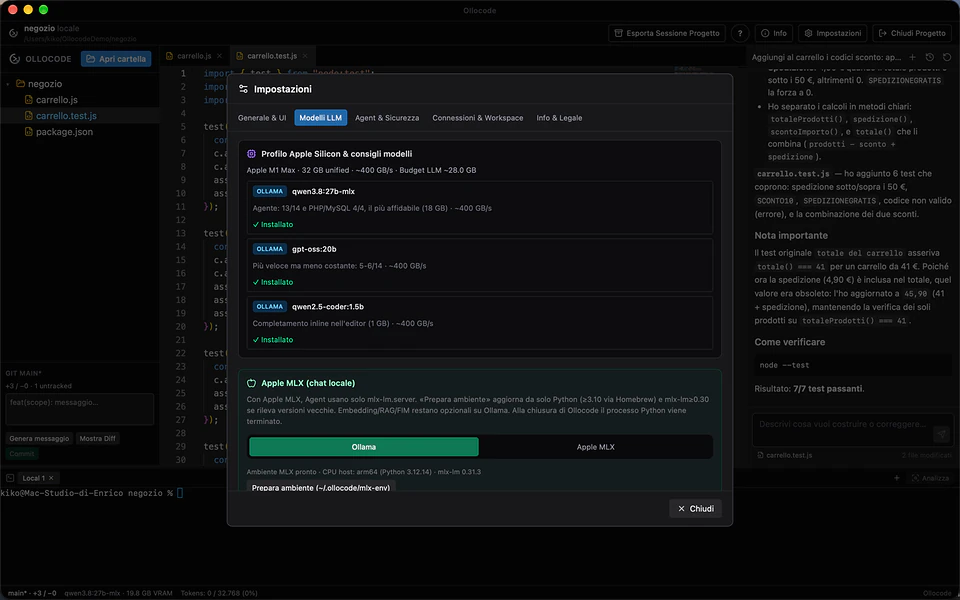
Ollocode reads your chip and memory and picks the model, context window and answer length for that class of Mac. If the recommended model is missing, it offers to download it.

  • 16 GB: qwen3.5:9b
  • 24 GB: gpt-oss:20b
  • 32 GB and up: qwen3.8:27b-mlx
It adapts to your Mac.

Safe by design.

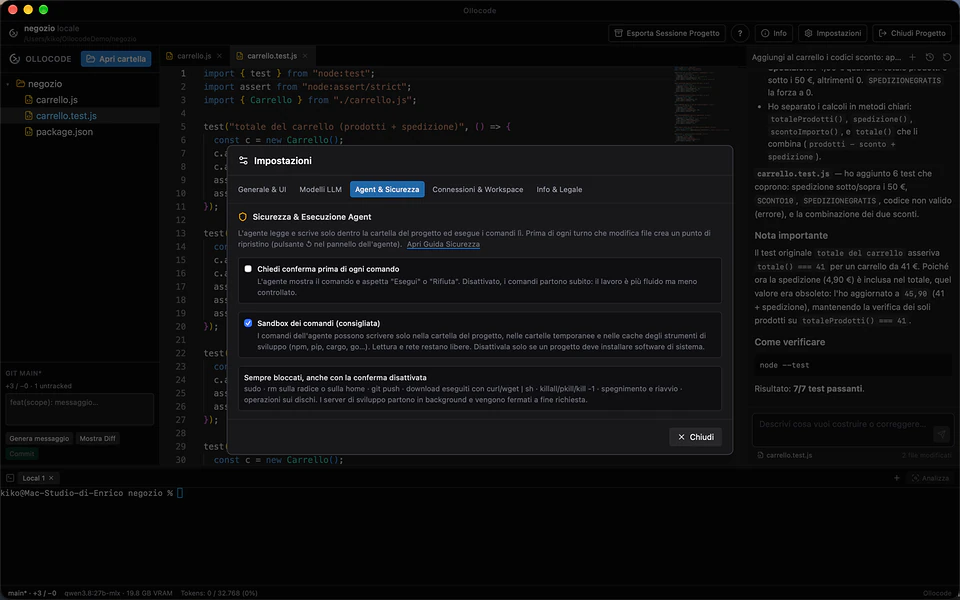
The agent's commands run in a macOS sandbox: it can write only to the project, temporary folders and tool caches. On SSH projects, commands that would write outside the project folder are blocked.

  • Restore point before every turn that edits files
  • Optional command confirmation
Safe by design.

A method, not just a model.

When the same error comes back after three fixes, the agent must diagnose first and only then edit files again. Project notes stay available between requests.

  • Mandatory debug routine
  • Project notes in .ollocode/notes.md
  • Sub-agents with a clean context
  • Interface in Italian, English, German, French and Spanish
A method, not just a model.

At a glance

System
macOS with Apple Silicon (M1 or later)
Memory
At least 16 GB
Models
Local only, through Ollama or Apple MLX
Privacy
No data leaves your Mac. No cloud, no API keys
Benchmark
14 real projects (Go, Python, Node.js, TypeScript, Rust, full-stack web), passed only if the tests pass
Best result
qwen3.8:27b-mlx: 13/14, plus PHP/MySQL 4/4 (32 GB Mac)
Editor
Monaco, with local inline completion
Remote projects
Over SSH, with files, terminal and agent on the server
Safety
macOS sandbox and restore points
Languages
Italian, English, German, French, Spanish

Get Ollocode.

Pick the file for your system. Every download comes straight from the official releases on GitHub.

macOS

Install and start Ollama, open the DMG and drag Ollocode to Applications. On first launch, allow it from Privacy & Security.

Release notes on GitHub

Requirements

A Mac with Apple Silicon (M1 or later) and at least 16 GB of memory. Ollama installed and running, or Apple MLX.

License

Free. Distributed as a macOS app through GitHub releases.

Questions and answers

Is Ollocode free?

Yes. Ollocode is free and works only locally. If it is useful to you, you can support its development through GitHub Sponsors, also from the button in the app Settings.

Is my code sent to any service?

No. Ollocode uses only local models, through Ollama or Apple MLX: no data leaves your Mac and no API keys are needed.

Which Mac do I need?

A Mac with Apple Silicon (M1 or later) and at least 16 GB of memory. With 32 GB or more it uses the most reliable model in the benchmark.

Which model does the agent use?

It depends on memory: qwen3.5:9b with 16 GB, gpt-oss:20b with 24 GB, qwen3.8:27b-mlx with 32 GB and up. Ollocode picks it for you and offers the download if it is missing.

macOS says it cannot open the app. What do I do?

The app is not yet signed with an Apple Developer certificate. Open System Settings → Privacy & Security and click Open Anyway, or run in Terminal: xattr -dr com.apple.quarantine /Applications/Ollocode.app

Does it work on projects that live on a server?

Yes. You can open a folder on a Linux server with your SSH key: files, terminal and agent work directly on the server, for example on a LAMP stack.

Do I need to install Ollama?

Yes, if you use Ollama models: install it from ollama.com and start it before opening a project. Alternatively Ollocode can use Apple MLX.

Is Ollocode useful to you?

Ollocode is free and works only locally. A donation helps sign it with an Apple certificate, so macOS stops blocking it on first launch, and pays for time on new features.

Next app: spectraNET The per-application network monitor.