






TreeX

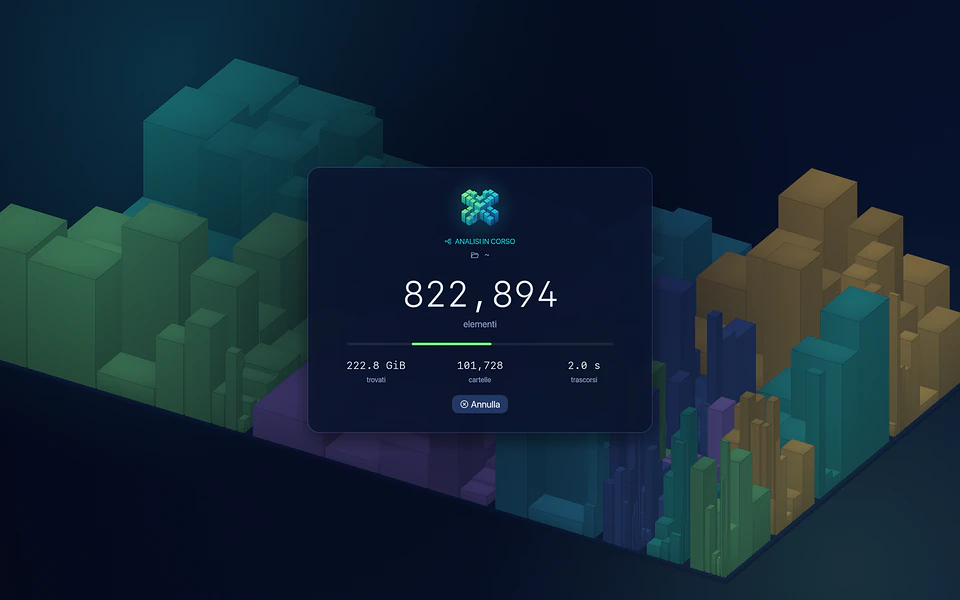
Your disk, as a city.

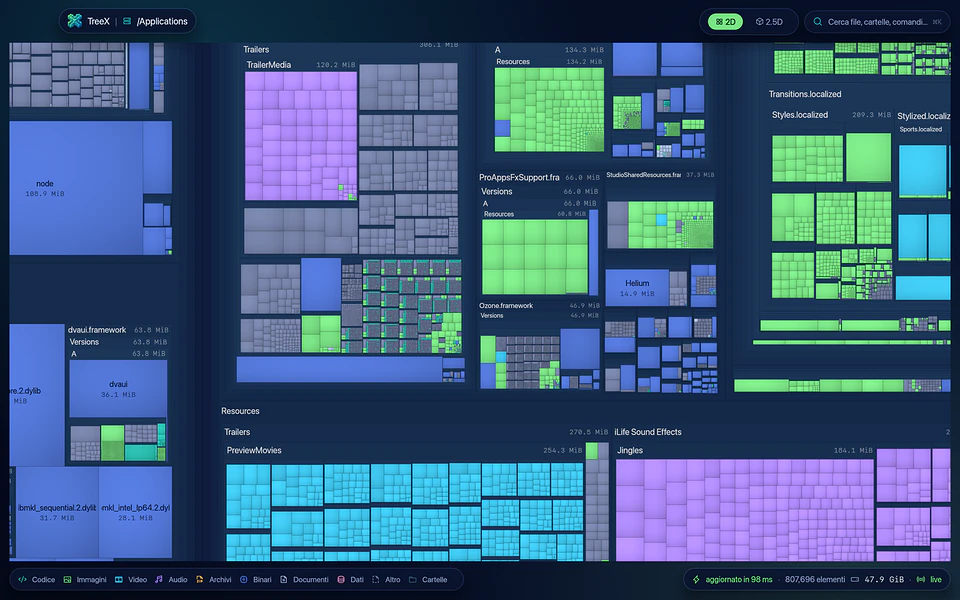
TreeX scans millions of files in seconds and shows where your space goes in a 2D and 2.5D map you can explore. Then it helps you take that space back, safely.

Version 1.2.0 macOS, Windows, Linux Free

Real screenshot of TreeX

Every developer knows it: node_modules, target, DerivedData, virtualenvs and caches pile up quietly. TreeX recognizes them, tells you which command recreates each one and how long its project has been idle, and moves them to the Trash only after a final check. Free, on macOS, Windows and Linux.

Your disk, as a city.

The disk analyzer for developers.

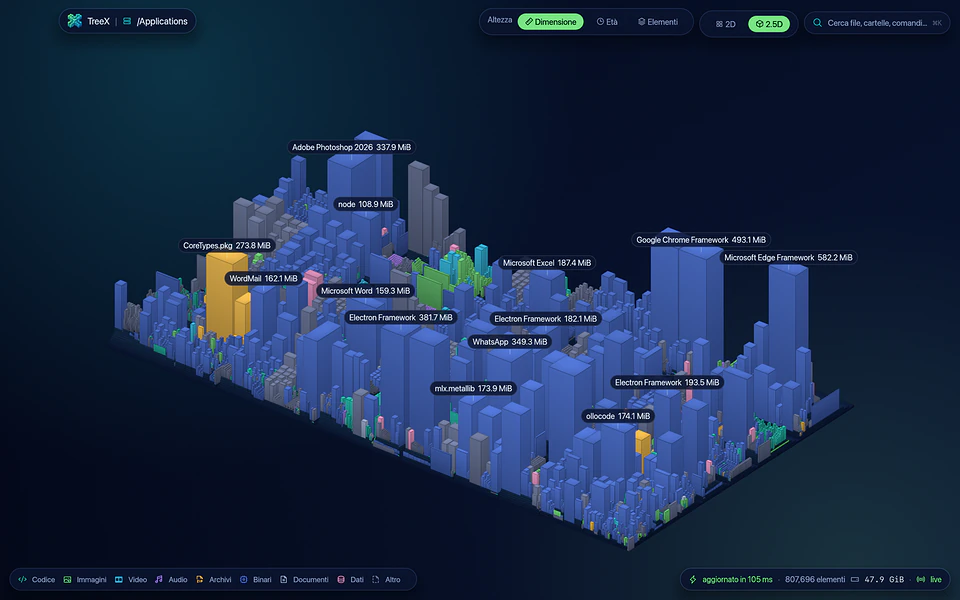
Every folder is a building.

The more space it takes, the taller it stands. Scroll and the city grows.

Animated illustration, sample data

Find the space you can take back.

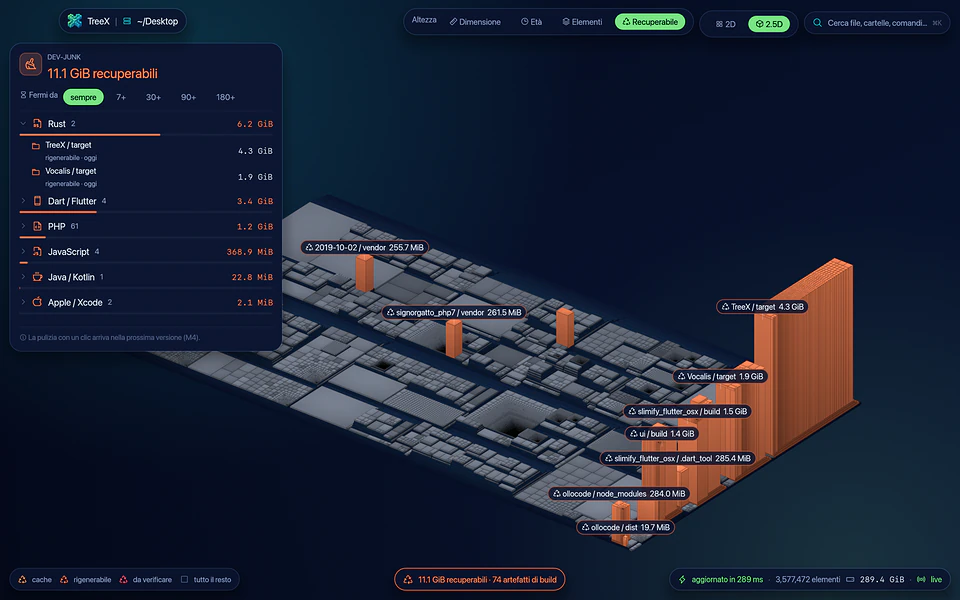
Press 4 and the city turns grey: only the coral towers of build artifacts and caches stay standing. The tallest one is your biggest waste.

  • node_modules, target, Flutter builds, DerivedData, vendor, virtualenvs
  • npm, pip and Homebrew caches
  • 16 development ecosystems recognized, plus system caches
  • Rules you can customize in TOML
Find the space you can take back.

Every tower knows how to come back.

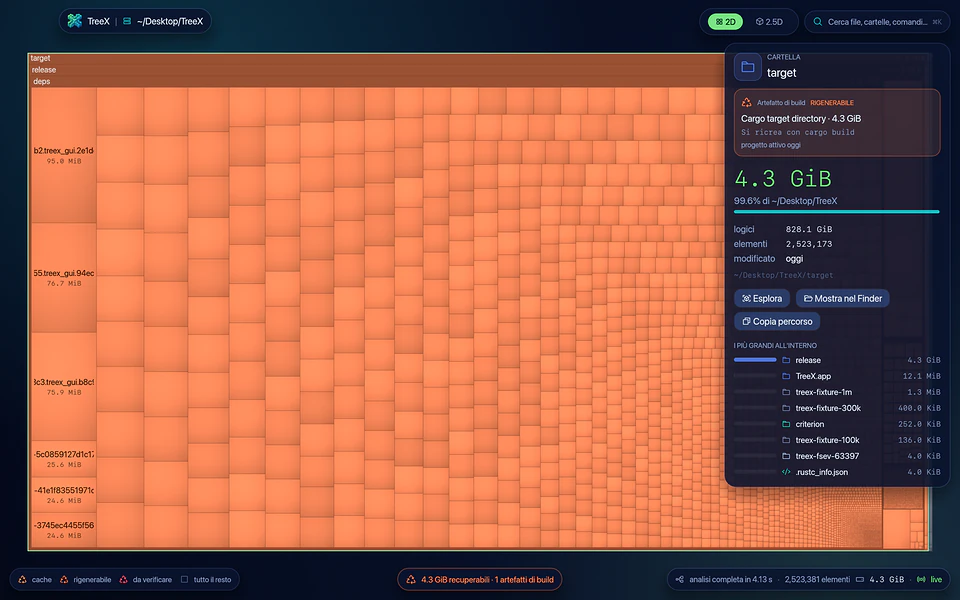
Select an artifact and TreeX shows the matching rule, the command that recreates it, like cargo build or npm install, and how long its project has been untouched.

  • Three safety levels: cache, regenerable, needs review
  • Filter by projects idle for 7, 30, 90 or 180 days
Every tower knows how to come back.

Clean up without fear.

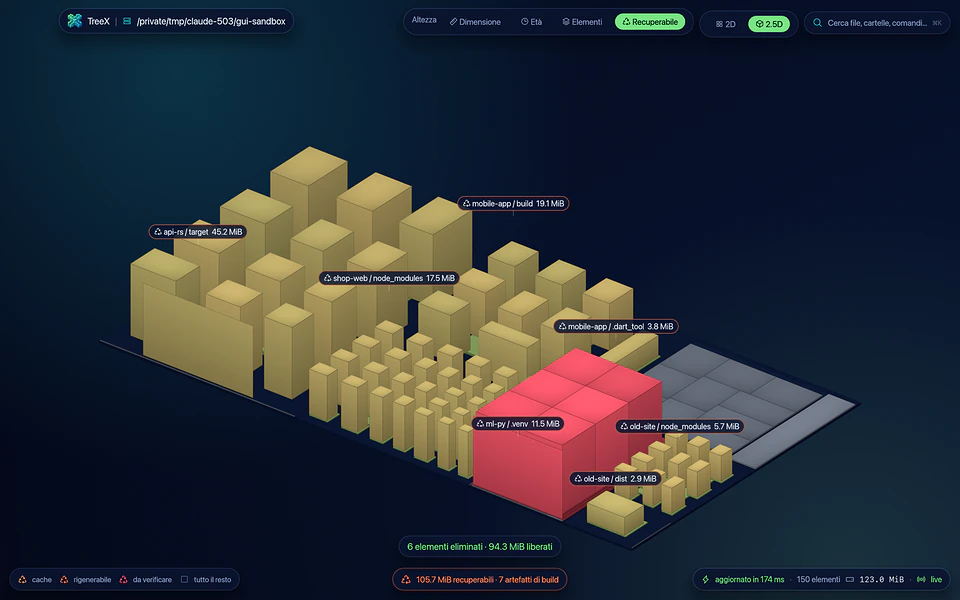
Pick, confirm, and watch the towers sink. Right before touching each folder, TreeX checks it again.

  • It is still the same folder, and not a symlink
  • Its project markers are still there
  • There is no git repository inside
  • Everything goes to the Trash by default, and every cleaning is logged
Clean up without fear.

Fast. And measured.

TreeX uses each system's own fast path, down to reading the NTFS Master File Table directly. In its published benchmarks it is the fastest of every tool compared, on every system.

  • macOS, Apple M4: /Applications (808k entries) in 0.06 s from the second scan on
  • Linux, Intel N95: a 3.8M-entry home folder in 2.82 s
  • Windows 11, as administrator: the whole C: drive (1.56M entries) in 5.82 s
  • From the second analysis on, the USN journal updates all of C: in 0.2 s
Fast. And measured.

Two views, one world.

Press Tab and the 2D map rises into an isometric city. Building height shows size, age or file count.

  • Semantic zoom: individual files appear as you get closer
  • Search everything with ⌘K
  • Smooth on integrated graphics: 143,000 blocks at 60 fps on an Intel UHD 620
Two views, one world.

Duplicates and file types.

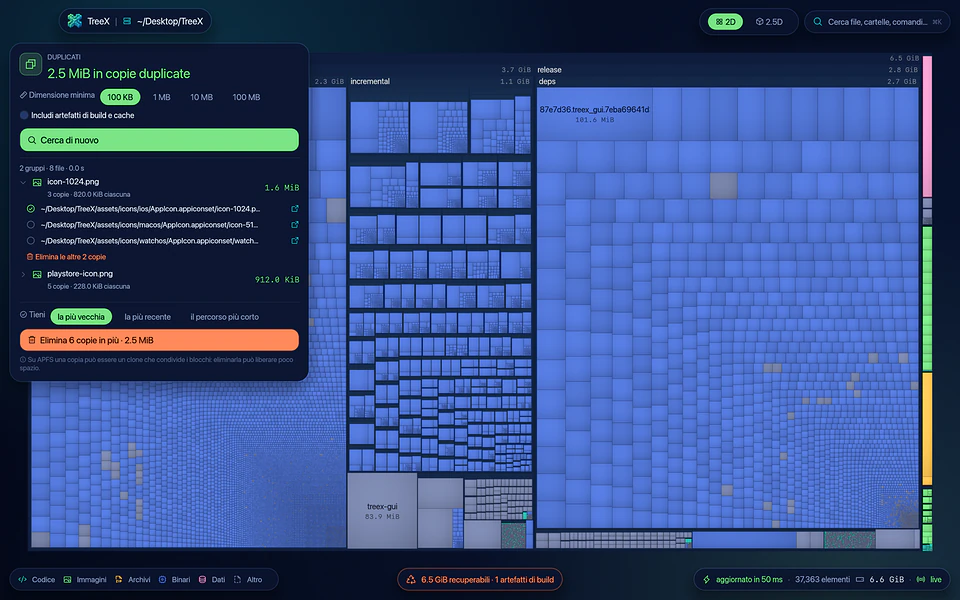
Press T to see space by file extension, U to find duplicate files. TreeX reads as little as possible: sizes first, then the start and end of each file, full contents only when needed.

  • Build artifacts are left out by default
  • Pick which copy to keep, the oldest by default
  • With APFS clones, it shows the space a deletion really frees
Duplicates and file types.

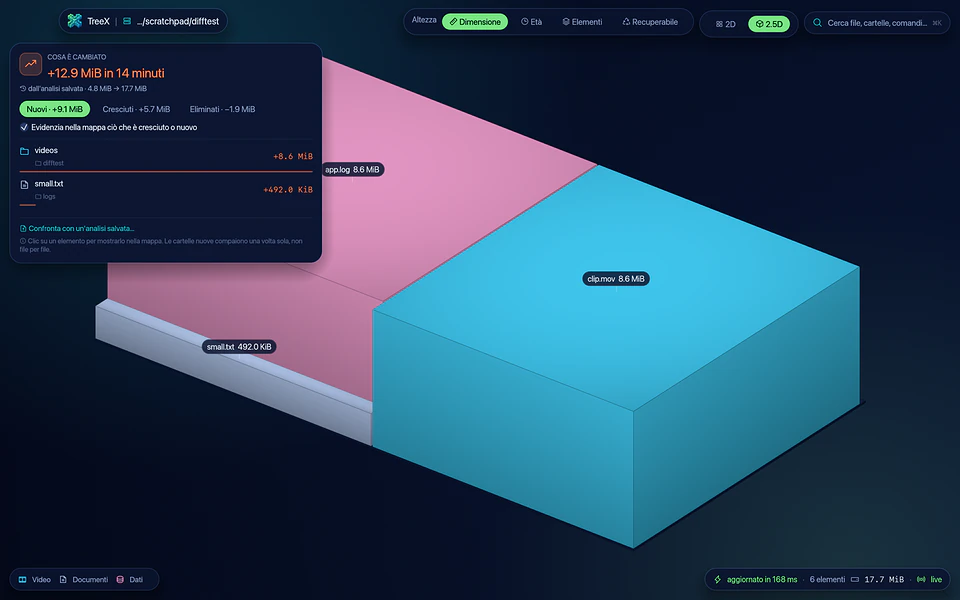
What changed since yesterday.

TreeX quietly keeps the previous analysis of every folder. Press C to see what is new, what grew and what was removed, with nothing to save.

  • The map updates live while the app is open
  • A list of every file, with wildcards and CSV or JSON export
  • Disks, external drives and network shares at a glance
What changed since yesterday.

At a glance

Systems
macOS 13+ (Apple Silicon and Intel), Windows 10/11 x64, Linux x86_64
Views
2D treemap and 2.5D isometric city
Dev-Aware
16 development ecosystems plus system caches, rules in TOML
Scanning
Native APIs: getattrlistbulk, getdents64 + statx, GetFileInformationByHandleEx, NTFS Master File Table
Live updates
FSEvents on macOS, USN journal and ReadDirectoryChangesW on Windows, inotify on Linux
Duplicates
Compared by size, start and end, then BLAKE3 hash
Export
CSV and JSON
Command line
treex CLI included in the app
Privacy
Never uses the network, reads metadata only
License
MIT or Apache-2.0

Get TreeX.

Pick the file for your system. Every download comes straight from the official releases on GitHub.

macOS

Open the DMG and drag TreeX into Applications: the treex command-line tool ships inside.

Windows

Unzip it and run TreeX.exe; the command-line tool is bin\treex.exe.

Linux

One file: make it executable and run it, on most distributions.

Install it with flatpak install --user and launch it from your app menu.

Extract it and run ./install.sh, no root needed.

Release notes on GitHub

Requirements

macOS 13 Ventura or later (Apple Silicon and Intel), Windows 10/11 x64, Linux x86_64 (glibc 2.28 or later).

License

Free, under your choice of MIT or Apache-2.0.

Questions and answers

Is TreeX free?

Yes. TreeX is free, under your choice of MIT or Apache-2.0.

How do I free up space taken by node_modules and caches?

Press 4 in the app or run treex dev ~: TreeX shows build artifacts and caches as coral towers. Pick what to clean in the Dev-Junk panel and confirm; by default everything goes to the Trash.

Could I delete something important by mistake?

TreeX checks every item again right before touching it, never follows symlinks, and always refuses system locations and your top-level home folders. Artifacts that may contain manual changes, like virtualenvs, are never preselected.

macOS shows a warning on first launch. Is that normal?

Yes. The builds are not notarized by Apple yet: right-click TreeX.app → Open, or go to System Settings → Privacy & Security → Open Anyway. You only need to do it once.

Why does TreeX need Full Disk Access on macOS?

macOS protects many folders, such as Mail, Safari and Messages. Without the permission TreeX still works, but skips those folders and tells you. Grant it in System Settings → Privacy & Security → Full Disk Access.

Does TreeX read my files or go online?

No. TreeX never uses the network, and scans read only names, sizes and dates. File contents are read only when you start a duplicate search, and only for files that share their size with another one.

Why run it as administrator on Windows?

It is optional. As administrator, TreeX reads the Master File Table directly to analyze a whole drive and, from the second time on, updates it from the USN journal in a fraction of a second.

Is TreeX useful to you?

TreeX is free: if it saved you some gigabytes, or some time, you can return the favor. Sponsorships pay for code-signing certificates, Homebrew, winget and Flathub packages, test machines for the three systems, and the time to keep it the fastest of its kind.

Next app: VideoSTAX The video transcoding studio for macOS, Windows and Linux.