






VideoSTAX

All your video, on one screen.

Open a file, choose codec, quality, size and tracks. VideoSTAX makes the new video, on its own or in a queue with many others.

Version 0.9.5 macOS, Windows, Linux Free

Real screenshot of VideoSTAX

VideoSTAX compresses and converts video files in the spirit of StaxRip, on macOS, Windows and Linux. Under the hood it uses well-known tools like FFmpeg, MKVToolNix and VapourSynth, all included in the download, together with your graphics card's hardware encoders when available.

All your video, on one screen.

The video transcoding studio for macOS, Windows and Linux.

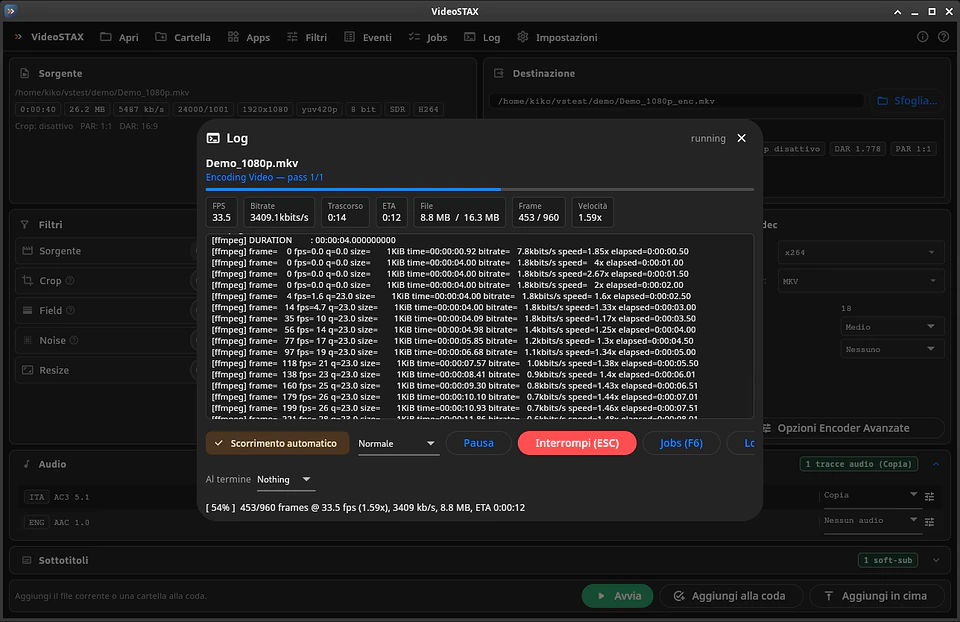
Press start. Your graphics card does the rest.

Real screenshot of VideoSTAX

Animated illustration, sample data

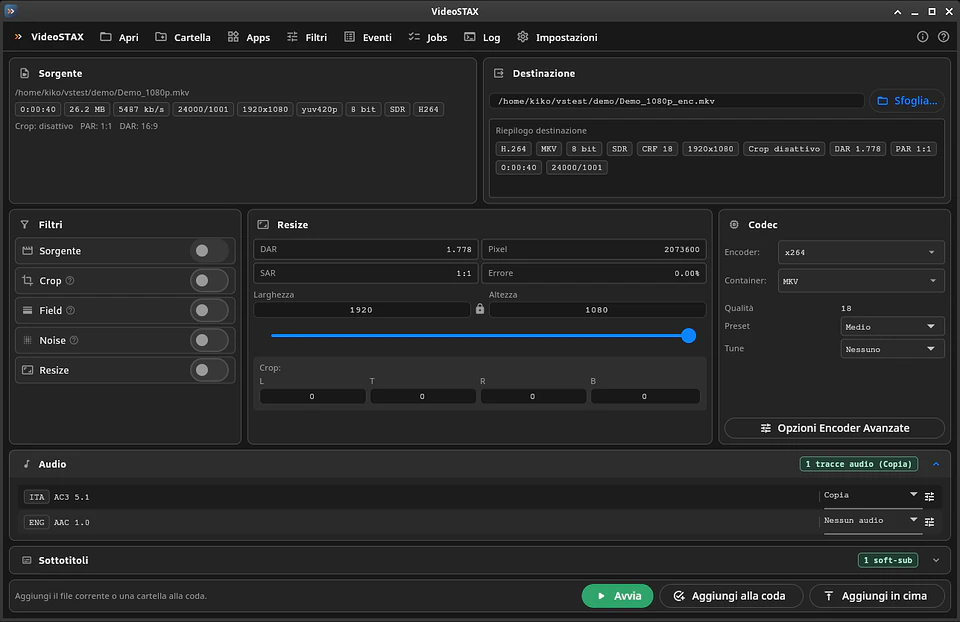
Everything in view.

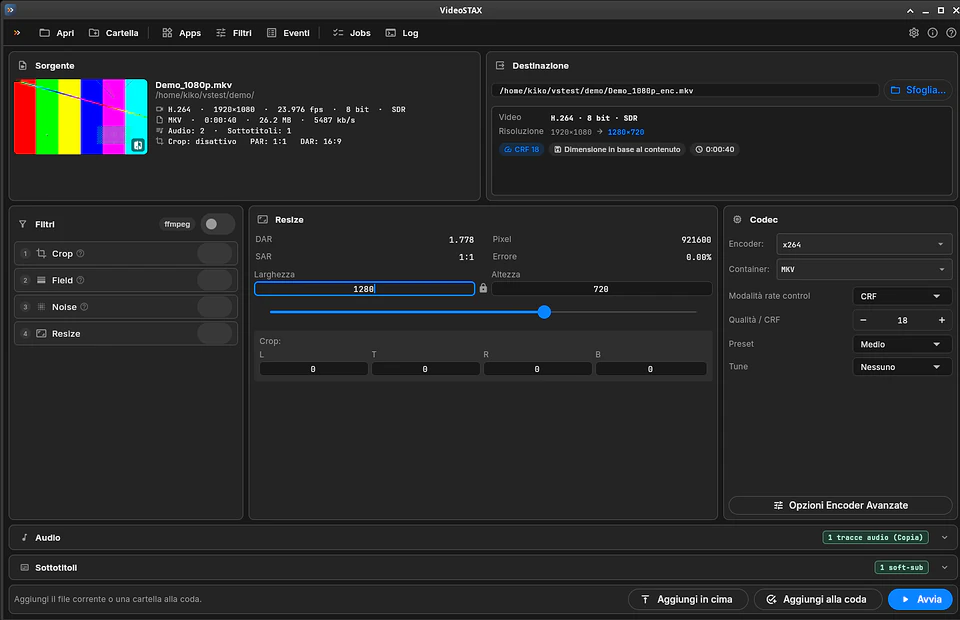
Source, destination, filters, resize, codec, audio and subtitles share a single workbench. You see what goes in and what comes out at a glance.

  • Source card: codec, resolution, frame rate, HDR/SDR, bitrate, tracks
  • Destination card: only what changes, with an estimated file size
  • Warnings before you start, not after
Everything in view.

The power of your graphics card.

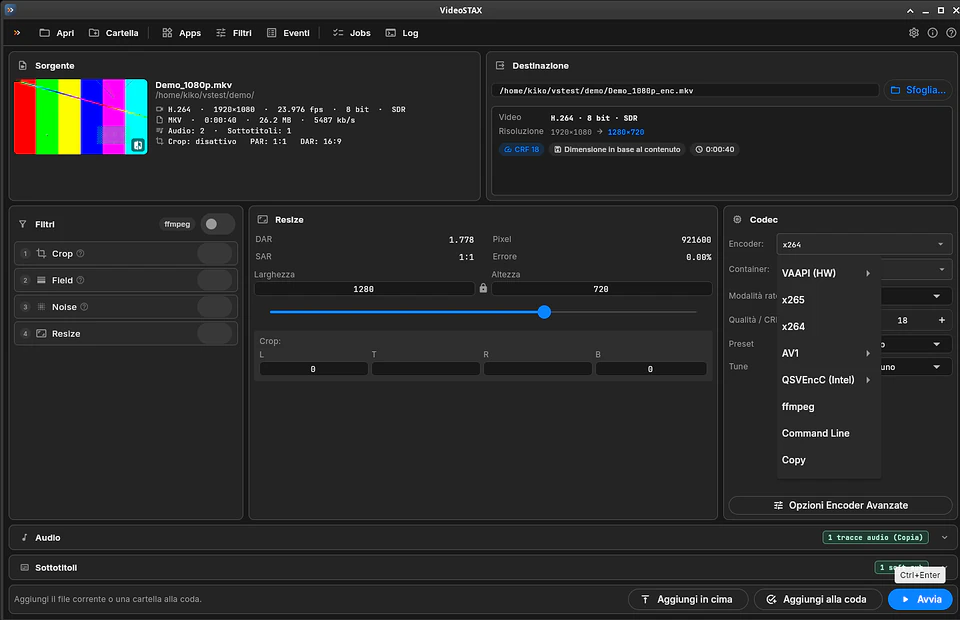
Hardware encoders are much faster than software ones. VideoSTAX shows them only when your computer has a compatible graphics card and driver.

  • Apple VideoToolbox on macOS
  • On macOS, a native Swift engine on VideoToolbox encodes at up to 350-400 FPS
  • NVIDIA NVENC, Intel Quick Sync and AMD VCE/AMF on Windows and Linux
  • VAAPI on Linux
  • AV1 in hardware on recent GPUs that support it
The power of your graphics card.

H.264, H.265 and AV1.

Choose x264, x265, SVT-AV1 or libaom in software, or a hardware encoder. Constant quality or bitrate, with − and + buttons right on the Codec card.

  • MKV, MP4, MOV and WebM containers
  • VBR, CBR and 2-pass for x264 and x265
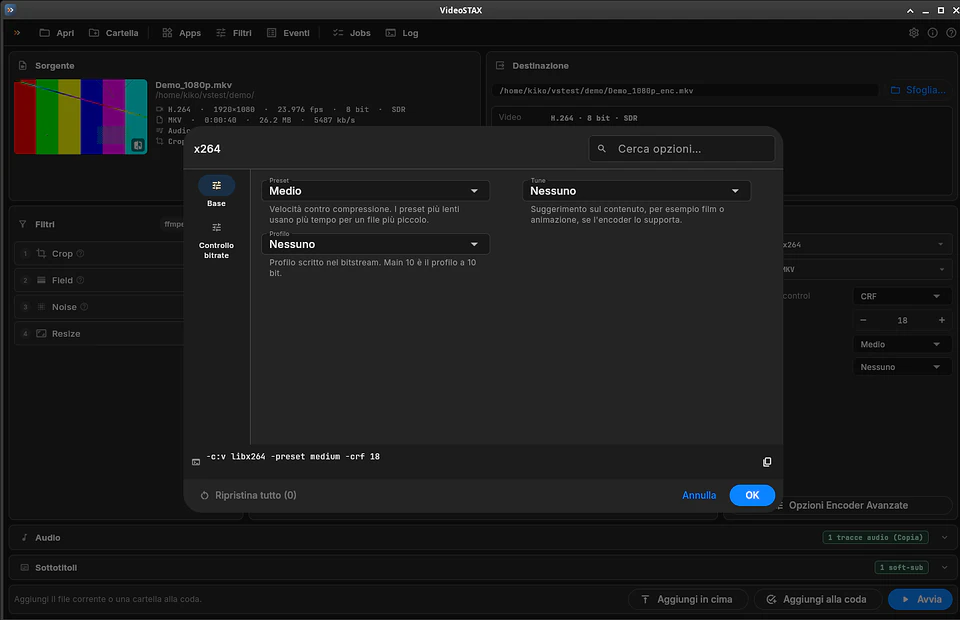
  • Presets, tunes and searchable advanced options
  • The resulting command line, always visible
H.264, H.265 and AV1.

Look before you encode.

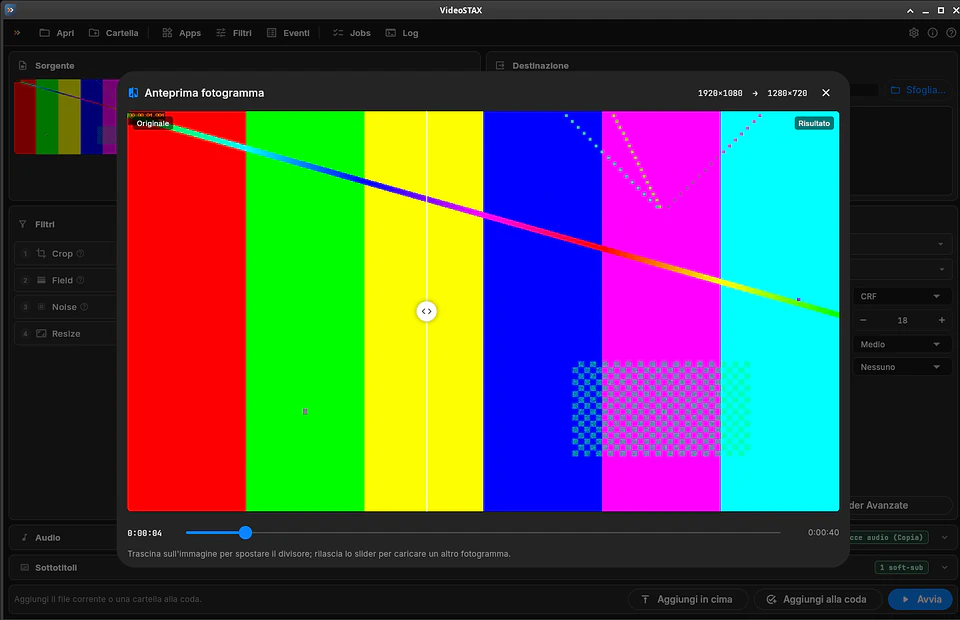
Click the thumbnail to compare the original with the cropped and resized result, using a draggable divider. On any frame of the video.

  • VapourSynth filters: QTGMC deinterlacing and DFTTest noise reduction
  • HDR sources preserved at 10 bit
  • A warning when HDR would be encoded at 8 bit
Look before you encode.

Every track in its place.

Copy each audio track unchanged or convert it to AAC, AC-3, E-AC-3, FLAC, Opus or MP3. Subtitles can be copied, burned into the picture or ignored.

  • Loudness normalization per track
  • Source audio/video delay corrected automatically
  • On macOS, AAC (including 5.1) is encoded up to 8 times faster with the VideoToolbox engine since 0.9.3
  • Source chapters kept
Every track in its place.

A queue that works for you.

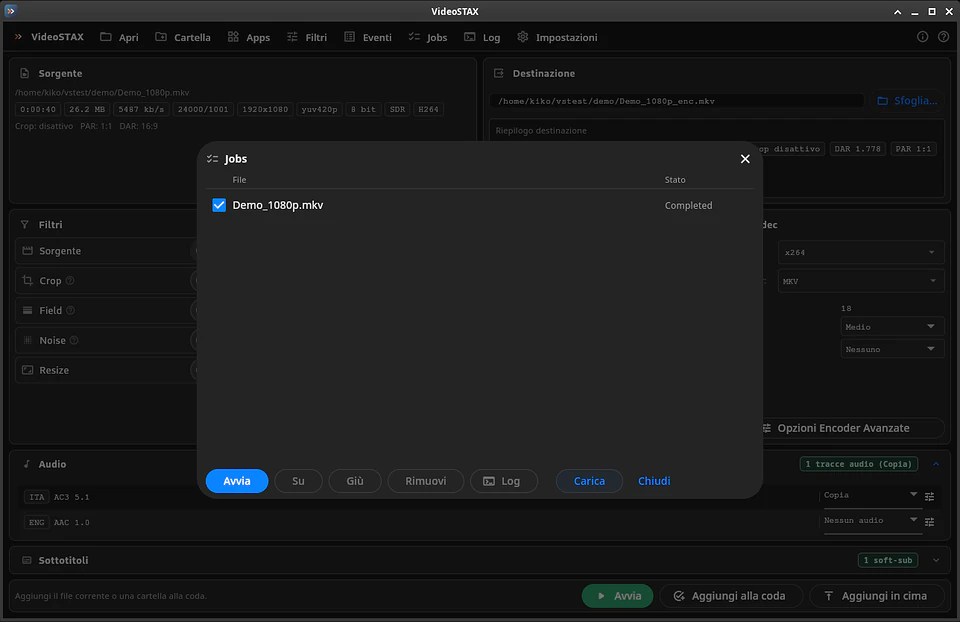
Line up your files, start the queue and get on with your day. When it is done, VideoSTAX can even shut down the computer.

  • Parallel jobs, pause and resume
  • The queue is saved automatically
  • Time left on the Dock icon and the Windows taskbar
  • Single files, multiple files, Blu-ray folders and file merging
A queue that works for you.

Nothing else to install.

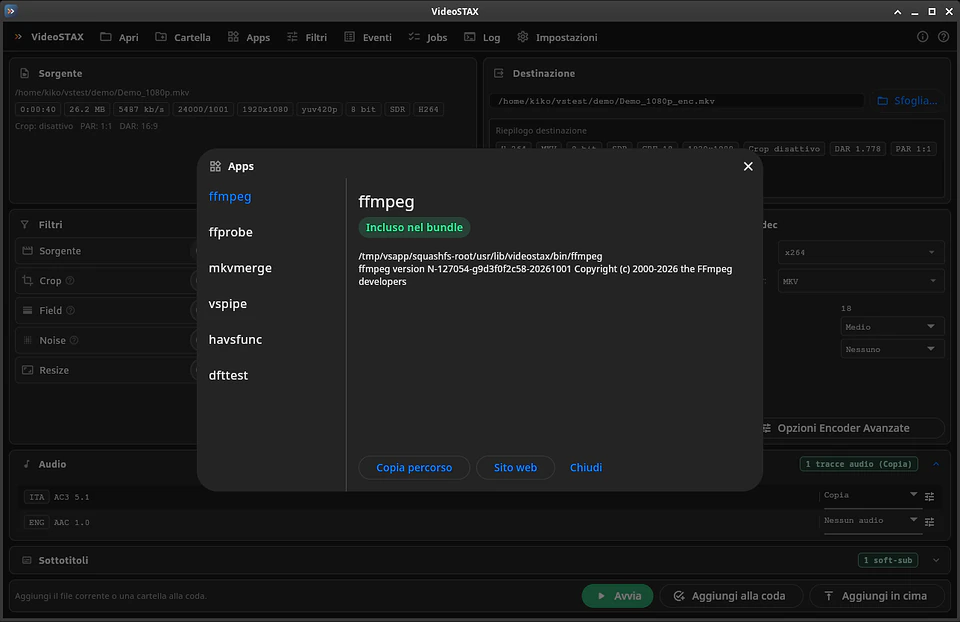
FFmpeg, MKVToolNix, VapourSynth and the encoders are already in the download. The Apps window shows what was found and its status.

  • Dark, light or system theme
  • Interface in English, Italian, German, Spanish and French
Nothing else to install.

At a glance

Video codecs
H.264, H.265/HEVC, AV1, or copy
Software encoders
x264, x265, SVT-AV1, libaom
Hardware encoders
Apple VideoToolbox, NVIDIA NVENC, Intel Quick Sync, AMD VCE/AMF, VAAPI
Containers
MKV, MP4, MOV, WebM
Audio
Copy or convert to AAC, AC-3, E-AC-3, FLAC, Opus, MP3
Filters
VapourSynth: QTGMC, DFTTest, crop and resize
Bundled tools
FFmpeg, MKVToolNix, VapourSynth
Languages
English, Italian, German, Spanish, French
Memory
8 GB, 16 GB recommended
Systems
macOS on Apple Silicon, Windows 10/11 64-bit, Linux x86_64

Get VideoSTAX.

Pick the file for your system. Every download comes straight from the official releases on GitHub.

macOS

Open the DMG and drag VideoSTAX to Applications.

Windows

Extract the folder and run videostax_ui.exe, keeping the whole folder together.

Linux

Make the file executable with chmod +x and run it, on any distribution.

Install with sudo apt install ./VideoSTAX-v0.9.3-amd64.deb.

Install with sudo dnf install (on openSUSE, sudo zypper install).

Release notes on GitHub

Requirements

macOS 27 or later on Apple Silicon (M1 or newer), Windows 10 or 11 64-bit, a recent 64-bit Linux (e.g. Ubuntu 22.04+, Fedora 38+). 8 GB RAM (16 GB recommended), 1280×800 display.

License

Free, distributed as ready-made builds through the videostax-releases repository. Includes third-party open source software (FFmpeg, MKVToolNix, VapourSynth and others), each under its own license.

Questions and answers

Is VideoSTAX free?

Yes, you can download it for free from its GitHub releases page. If you find it useful, you can support its development with a donation.

Do I need to install FFmpeg or anything else?

No. FFmpeg, MKVToolNix, VapourSynth and the encoders are included in the download: there is nothing else to install.

A hardware encoder is missing from the menu. Why?

A hardware encoder appears only when your graphics card and driver support it. Update the GPU driver and restart VideoSTAX: the Apps window shows which tools were found.

Which quality should I choose?

With x264 and x265, a CRF between 18 and 23 is a good start: lower means better quality and a bigger file. With hardware encoders, start from the value VideoSTAX proposes and change it in small steps.

My HDR video looks washed out or has banding.

Encode HDR at 10 bit by choosing it in the Codec card. VideoSTAX warns you in the Destination card when HDR would be encoded at 8 bit.

macOS says the app is from an unidentified developer.

The first time, open System Settings → Privacy & Security and click Open Anyway next to VideoSTAX. On Windows, if SmartScreen shows a warning, click More info → Run anyway.

Can I close VideoSTAX while the queue is running?

Closing stops the running jobs, but the queue is saved: reopen it with Jobs → Load and start it again.

Is VideoSTAX useful to you?

VideoSTAX is developed and maintained independently. If it saves you time on your video work, a donation turns into new features and improvements.

Next app: Il Quizzone The quiz game with The Tower and 1v1 duels.