








Vocalis

Your whole night, one control room.

Vocalis plays your .mid and .kar files, puts full-screen lyrics on a monitor or TV, and lets singers book their turn from their phones. Free on macOS, Windows and Linux.

Version 1.1.1 macOS, Windows, Linux Free

Real screenshot of Vocalis

MIDI and KAR karaoke files are tiny, transpose with no quality loss and already contain synchronized lyrics. Vocalis plays them through a built-in synthesizer and follows the layout of classic players like vanBasco: small windows side by side, LCD displays, faders and a 16-channel mixer. The look is modern, and it is built for people who run live karaoke nights.

Your whole night, one control room.

The MIDI and KAR karaoke player built for live nights.

Lyrics, syllable by syllable.

Words light up as they are sung. Singers always know where they are, even on a song they barely know.

  • 2 or 4 lines per page, with automatic wrapping
  • Countdown before the vocals start
  • Preview of the next song in the setlist
  • Lyric encoding detected for you: UTF-8, Latin-1, Windows-1252

Lyrics, syllable by syllable.

Made for the big screen.

The Karaoke window goes full screen on the monitor you choose. You stay at the computer, the room watches the TV.

  • Animated backgrounds: musical notes, aurora, stars, bubbles, moving gradient and spectrum
  • Your choice of fonts, colors and highlight effects
  • Solid, gradient or image backgrounds
Made for the big screen.

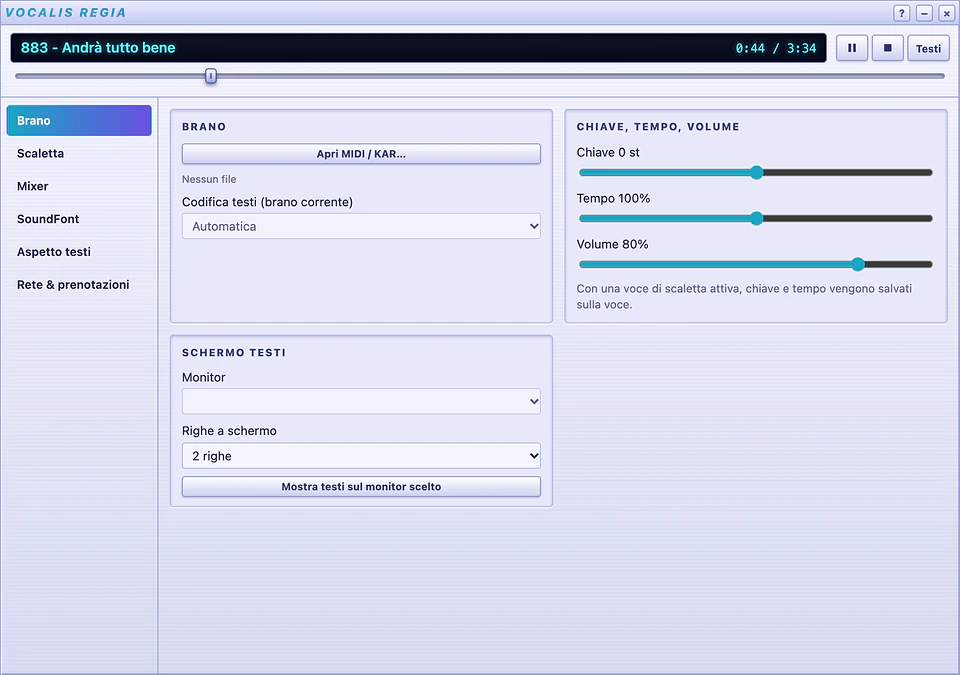
The control room, at your fingertips.

Song, key, tempo, volume, setlist, mixer, SoundFonts and network all live in one window. Change the key for a singer without stopping the night.

  • Transpose in semitones, with tempo and volume saved per song
  • Setlists with .m3u import and export
  • Autoplay, shuffle, scan and repeat
  • A mini player to keep an eye on everything
The control room, at your fingertips.

Singers book from their phones.

Put a QR code up in the room and anyone who wants to sing joins the queue from their own phone. Lyrics can be followed from any browser on the local network.

  • Local network service started from the control room
  • Nothing to install for the audience: a browser is enough

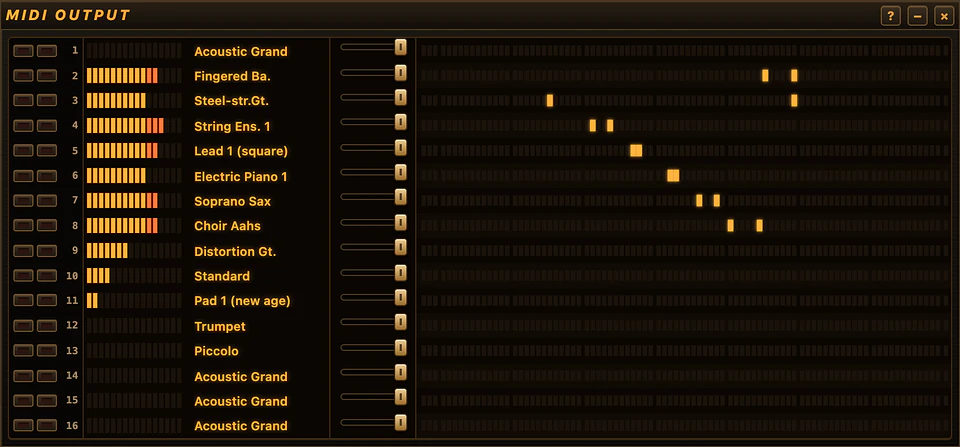
It sounds the way it should.

The GeneralUser GS SoundFont is included, so Vocalis plays out of the box. It reads the Roland GS and Yamaha XG settings in your files, like reverb, chorus and drum kits, and plays them the way their authors intended.

  • A catalog of 8 karaoke-friendly SoundFonts, with integrity checks and pause/resume
  • 16-channel mixer with mute, solo, volume and on-the-fly instrument changes
  • Output to the system synth or an external MIDI instrument
  • MIDI input from a keyboard and Live mode to play along
It sounds the way it should.

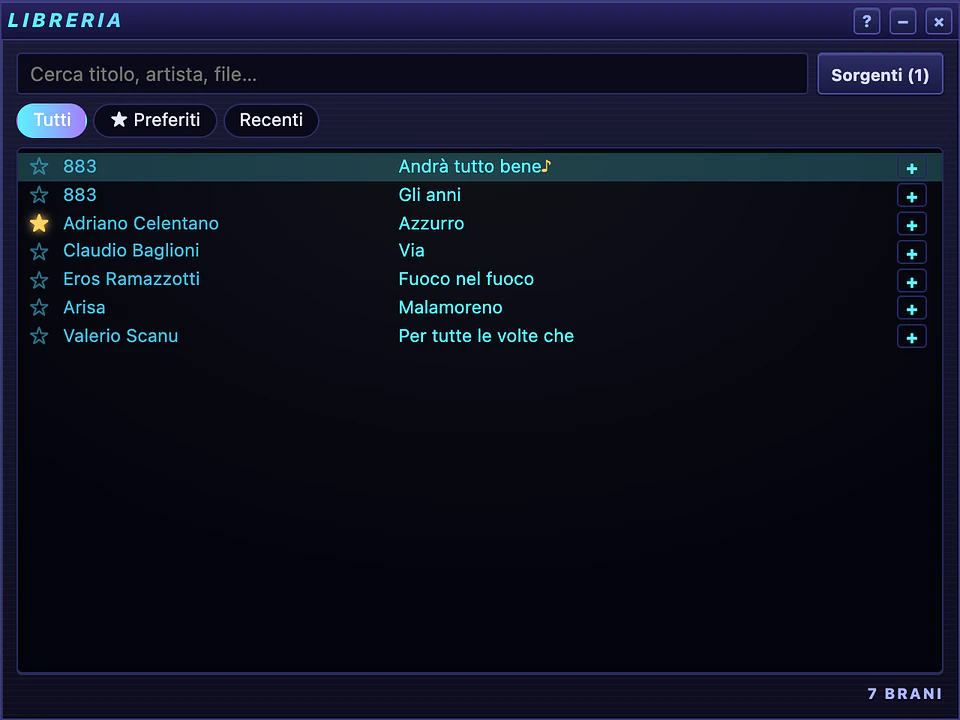
Thousands of songs, found instantly.

Add the folders with your files and search becomes instant. Favorites, recent songs and a play counter show you what works at your nights.

  • Multiple source folders
  • Chord recognition on the virtual piano, plus key estimation
Thousands of songs, found instantly.

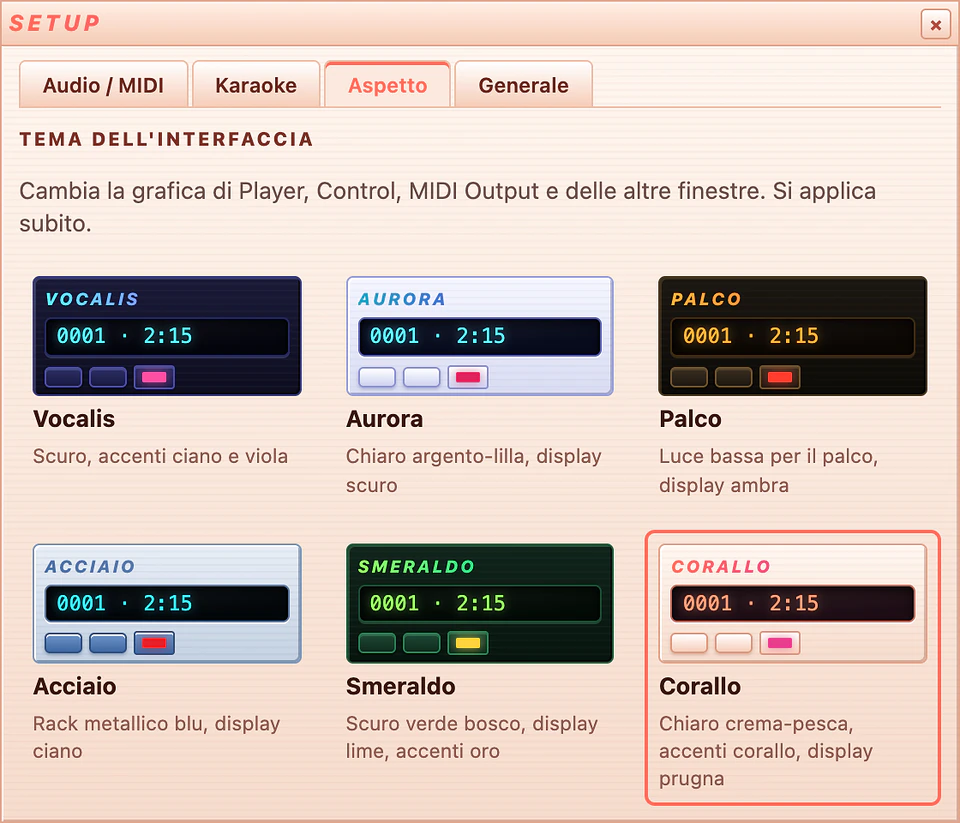
Six themes. Plus yours.

Vocalis, Aurora, Palco, Acciaio, Smeraldo and Corallo restyle every window instantly. Export a theme as a template and make your own.

  • Multi-window, with the layout saved
  • Multi-monitor support
Six themes. Plus yours.

At a glance

Formats
MIDI (.mid, .midi, .rmi) and KAR (.kar)
Sound
Built-in SoundFont synthesizer, GeneralUser GS included
Compatibility
Roland GS and Yamaha XG
Mixer
16 channels with mute, solo, volume and instrument
Lyrics
Synchronized syllable by syllable, 2 or 4 lines
MIDI
Output to system synth or external instruments, MIDI input, Live mode
Setlists
.m3u import and export
Themes
6 built-in, plus custom themes from files
Interface language
Italian
Systems
macOS 10.15+ (Apple Silicon and Intel), Windows 10/11 64-bit, Linux x86_64

Get Vocalis.

Pick the file for your system. Every download comes straight from the official releases on GitHub.

macOS

Open the DMG and drag Vocalis to Applications.

Windows

Run the standard installer or the MSI package.

Linux

Install the .deb (Debian/Ubuntu) or .rpm (Fedora/openSUSE), or make the AppImage executable and run it.

Release notes on GitHub

Requirements

macOS 10.15 or later (Apple Silicon and Intel), Windows 10/11 64-bit, Linux x86_64.

License

Free. The source code is not public. Includes the GeneralUser GS SoundFont by S. Christian Collins (GeneralUser GS License v2.0). Vocalis does not distribute backing tracks: it plays your own files.

Questions and answers

Is Vocalis free?

Yes, Vocalis is free. Its source code is not public. If you find it useful, you can support its development with a donation.

Is it a vanBasco alternative?

Vocalis is inspired by the user experience of vanBasco's Karaoke Player, with side-by-side windows, LCD displays, faders and a 16-channel mixer, but it has original artwork and runs on macOS, Windows and Linux.

Is the interface in English?

Not yet. The app interface is in Italian, as shown in the screenshots.

Which karaoke files does it open?

MIDI (.mid, .midi, .rmi) and KAR (.kar) files. Open them by double-click, by dropping them on the Player, or from the Library.

Do I need to set up audio or download a SoundFont?

No. Vocalis includes a complete General MIDI SoundFont and plays right away. If you like, you can download and activate one of the 8 banks in the catalog from the control room.

macOS says it «cannot verify the developer». What do I do?

The installers are not yet signed with an Apple or Microsoft certificate. On macOS, go to System Settings → Privacy & Security and click Open Anyway. On Windows, if SmartScreen appears, click More info → Run anyway.

Does Vocalis come with backing tracks?

No. Vocalis does not distribute any backing tracks: it plays the files you already have.

Is Vocalis useful to you?

Vocalis is free and developed in spare time. If it powers your karaoke nights, a donation helps bring new features, signed installers and more platforms.

Next app: TreeX The disk analyzer for developers.