







Revive

Your Mac, like new. For real.

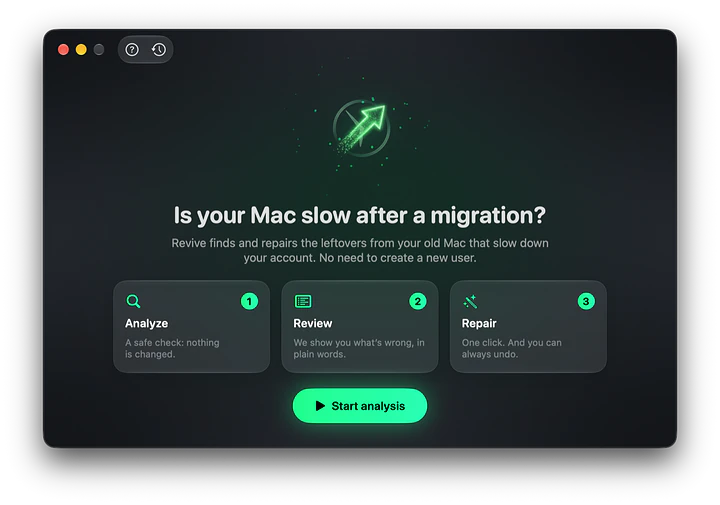
Is your Mac slow after moving your account with Time Machine or Migration Assistant? Revive repairs your account, without creating a new user and without touching your files.

Version 1.1.0 macOS Free

Real screenshot of Revive

A new Mac, your account moved over from the old one, and ever since Privacy & Security takes seconds to open and apps hesitate before launching. Yet a brand-new user is fast. It isn't the Mac's fault: your account carries settings made for the old computer. Revive finds them and repairs them.

Your Mac, like new. For real.

Your Mac fast again after a migration.

Sound familiar?

You moved your account to a new Mac and since then something is off: the Mac is slower than it should be, yet a new user is lightning fast. Creating a new user and copying everything by hand is slow and painful: Revive repairs the account you already have.

  • Privacy & Security takes seconds to open
  • Apps hesitate before launching
  • Yet a new user is fast
Sound familiar?

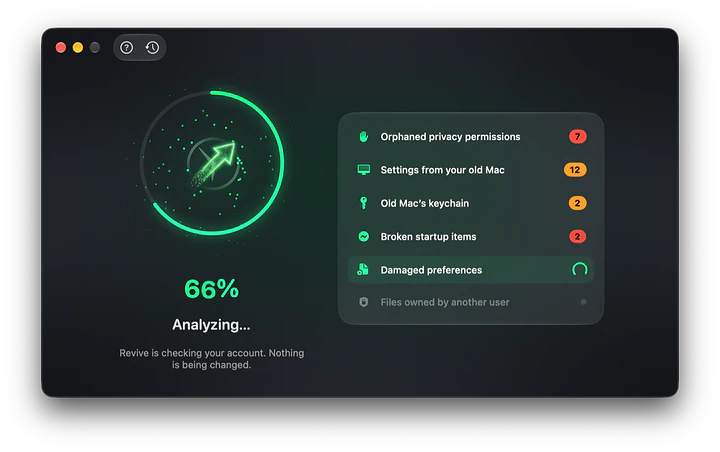
Analyze: a few seconds, nothing changed.

The first step is a safe check of your account. Revive looks at permissions, startup items, preferences and keychain, without touching anything.

Analyze: a few seconds, nothing changed.

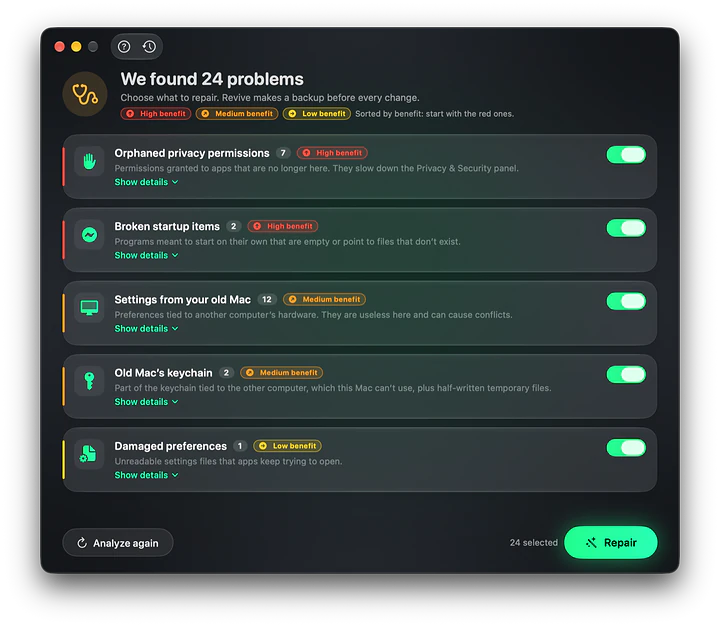
Review, in plain words.

Revive shows what's wrong, explained without jargon, with a colored label telling you how much you'll gain. Problems are sorted by benefit, and the ones worth fixing are already selected.

  • Orphaned privacy permissions: high benefit
  • Broken startup items: high benefit
  • Old Mac settings and keychain, files owned by another user: medium benefit
  • Damaged preferences: low benefit
Review, in plain words.

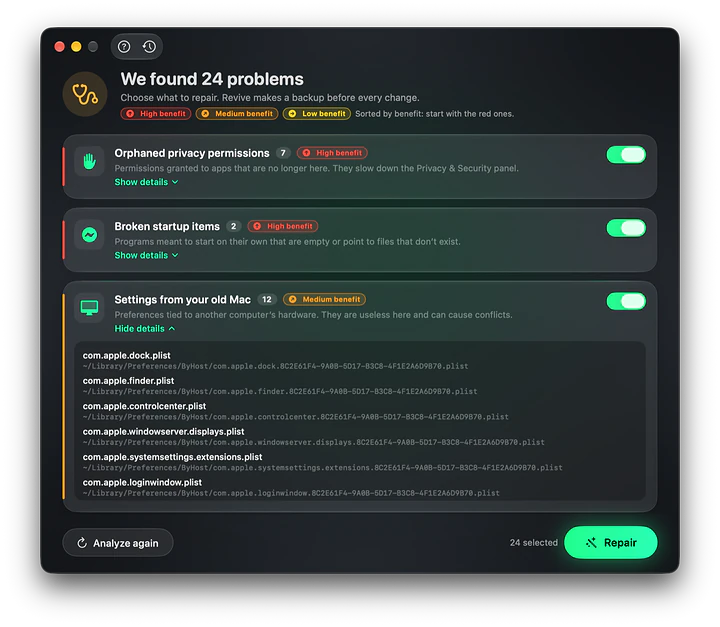
The details, if you're curious.

If you want to know exactly what will be touched, open the details to see every single file or permission, and leave out anything you prefer to keep as it is.

The details, if you're curious.

Repair in one click. Undo anytime.

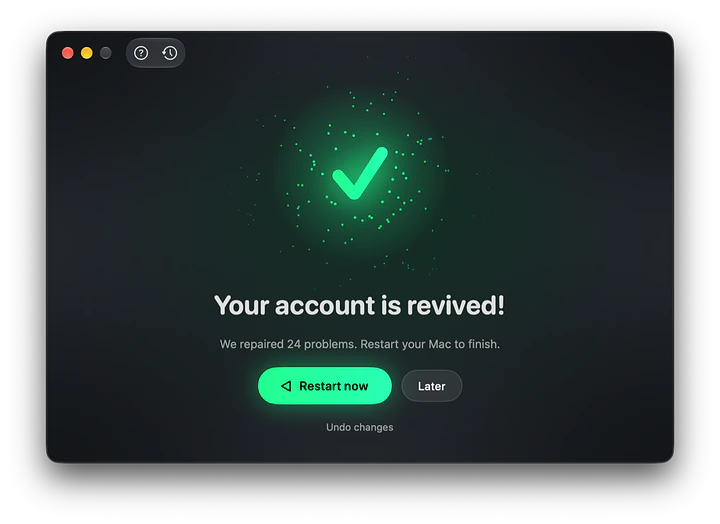
Before touching anything Revive makes a backup. Every repair stays in the history: one click on Restore puts everything back exactly as it was. After a restart your Mac feels responsive again.

  • Never deletes documents, photos, music or mail
  • Not a "cleaner": it makes your account faster and more stable, it doesn't free up space
  • Nothing running in the background
Repair in one click. Undo anytime.

It updates itself.

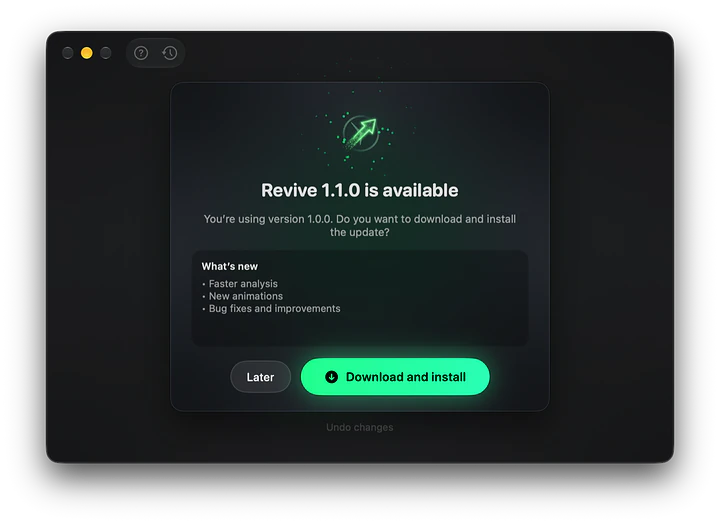
When a new version is out Revive tells you with a notification: click Download and install and it updates and reopens by itself. It also has a built-in guide and speaks five languages.

  • Italian, English, French, German and Spanish
  • No data sent: the Internet is used only to check for updates
It updates itself.

At a glance

System
macOS 14 Sonoma or later
Processors
Apple silicon and Intel
Repairs
Orphaned privacy permissions, broken startup items, old Mac settings and keychain, files owned by another user, damaged preferences
Safety
Read-only analysis, backup before every repair, history with restore
Languages
Italian, English, French, German, Spanish
Updates
Automatic, with a notification
Privacy
Works only on your Mac, no data sent
License
Free

Get Revive.

Pick the file for your system. Every download comes straight from the official releases on GitHub.

macOS

Open the DMG and drag Revive into Applications, then open it from there. On first launch grant Full Disk Access: Revive walks you through it.

Release notes on GitHub

Requirements

macOS 14 Sonoma or later, Apple silicon (M1, M2, M3, M4…) and Intel Macs.

License

Free.

Questions and answers

Does Revive delete my files?

No. It only moves configuration files into a backup you can restore whenever you like. Documents, photos, music and mail are never touched.

Is it safe?

Yes. The analysis changes nothing and every repair can be undone from the history, with the clock icon at the top of the window.

Why is my Mac slow after migrating?

Time Machine and Migration Assistant copy your account as it is, including permissions and settings tied to the old computer. macOS keeps checking them for nothing and slows down. A new user doesn't have those leftovers, which is why everything is fast there.

Should I use it often?

No: once after a migration is usually enough. You can analyze again anytime, also from the menu bar icon.

Will it work on my Mac?

You need macOS 14 Sonoma or later. Revive runs on both Apple silicon Macs (M1, M2, M3, M4…) and Intel Macs.

macOS blocks it: what do I do?

Revive isn't on the App Store yet, so on first launch macOS may show a warning. Close it with Done, open System Settings › Privacy & Security, scroll to Security and click Open Anyway. You only need to do this once.

Revive says "All good" but my Mac is still slow.

Then the slowdown probably isn't caused by the migration. Revive does one thing, precisely.

Is Revive useful to you?

Revive is free: if it gave you back a fast Mac, you can return the favor. Donations pay for Apple's code-signing certificate, so macOS stops asking for confirmation on first launch, and for the time to build the next versions.

Next app: Ollocode The IDE with an AI agent that runs entirely on your Mac.