








Compress video with your GPU: NVENC, Quick Sync, VideoToolbox and AMD
Compressing a video on the CPU can take hours. Almost every graphics card of the last few years has a dedicated circuit that does the same job many times faster. Here is which one you have, how to use it and when it pays off.
Short answer: NVIDIA's is called NVENC, Intel's Quick Sync, AMD's AMF (or VCE), and on Apple-chip Macs VideoToolbox. In FFmpeg you use them by picking the encoder, for example hevc_nvenc, hevc_qsv, hevc_amf or hevc_videotoolbox. They are much faster than software encoders; in exchange, at the same quality the file usually comes out a bit larger. Without a command line, VideoSTAX shows them by itself when your computer supports them.
Software or hardware?
| Software encoders (x264, x265, SVT-AV1) | Graphics card encoders | |
|---|---|---|
| Speed | slow, uses the whole CPU | many times faster, the computer stays usable |
| Size at the same quality | usually smaller | usually a bit larger |
| Best for | archiving, the most quality per megabyte | many files, long videos, deadlines, laptops |
Which encoder you have
- NVIDIA NVENC: on GeForce and RTX cards. H.264 and H.265 for many years now; AV1 needs an RTX 40 series or newer.
- Intel Quick Sync: in the integrated graphics of Intel Core processors. AV1 on Arc cards and Core Ultra processors.
- AMD AMF/VCE: on Radeon cards and Ryzen processors with integrated graphics. AV1 from the Radeon RX 7000 series.
- Apple VideoToolbox: on every Mac with an Apple chip, for H.264 and H.265.
To see which encoders your FFmpeg knows about:
ffmpeg -hide_banner -encoders | grep -E "nvenc|qsv|amf|videotoolbox"       # Mac and Linux
ffmpeg -hide_banner -encoders | findstr "nvenc qsv amf"                       # Windows
An encoder being listed is not enough: you also need the right card with up-to-date drivers. If the command below fails, your hardware doesn't support it.
Ready-to-use FFmpeg commands
All these examples compress to H.265 at constant quality and copy the audio untouched. Tune the quality number: in the first three, lower means higher quality and a bigger file; with VideoToolbox it is the other way round (1 to 100).
# NVIDIA
ffmpeg -i input.mp4 -c:v hevc_nvenc -preset p5 -rc vbr -cq 28 -b:v 0 -c:a copy output.mp4

# Intel Quick Sync
ffmpeg -i input.mp4 -c:v hevc_qsv -preset slow -global_quality 25 -c:a copy output.mp4

# AMD
ffmpeg -i input.mp4 -c:v hevc_amf -quality quality -rc cqp -qp_i 24 -qp_p 26 -c:a copy output.mp4

# Mac with Apple chip
ffmpeg -i input.mov -c:v hevc_videotoolbox -q:v 65 -tag:v hvc1 -c:a aac -b:a 160k output.mp4
-tag:v hvc1 makes H.265 MP4 files open on Apple devices too. For H.264 replace hevc_ with h264_; for AV1, if your card supports it, with av1_.
Three tips to avoid wasting quality
- Try a one-minute sample first (add
-t 60) and compare: every card and every video has its own right value. - For HDR video use H.265 or AV1 at 10 bit: at 8 bit, HDR colours get damaged.
- If the audio is already fine, copy it (
-c:a copy): re-encoding it saves next to nothing.
Without a command line: VideoSTAX
VideoSTAX is a free video transcoding studio for macOS, Windows and Linux. Open a file, choose codec, quality, size, audio and subtitle tracks, and it produces the new file, alone or in a queue of many files.
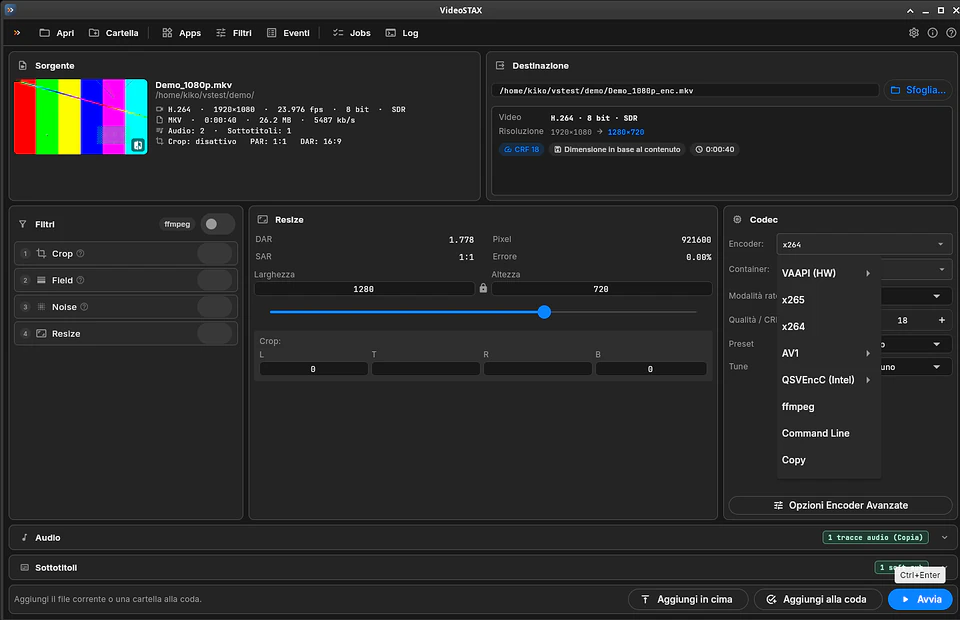
- it uses your graphics card's encoders when present: VideoToolbox, NVENC, Quick Sync and AMD, plus VAAPI on Linux, and shows a hardware encoder only if your computer really supports it;
- H.264, H.265 and AV1 in software too (x264, x265, SVT-AV1, libaom), in MKV, MP4, MOV and WebM;
- constant quality with − and + buttons right on the codec card, or bitrate with an estimated file size;
- every audio track can be copied or converted (AAC, AC-3, E-AC-3, FLAC, Opus, MP3) with loudness normalisation; subtitles can be copied or burned into the picture;
- it warns you when an HDR video would be encoded at 8 bit;
- a job queue, parallel jobs, and it can shut the computer down when finished.
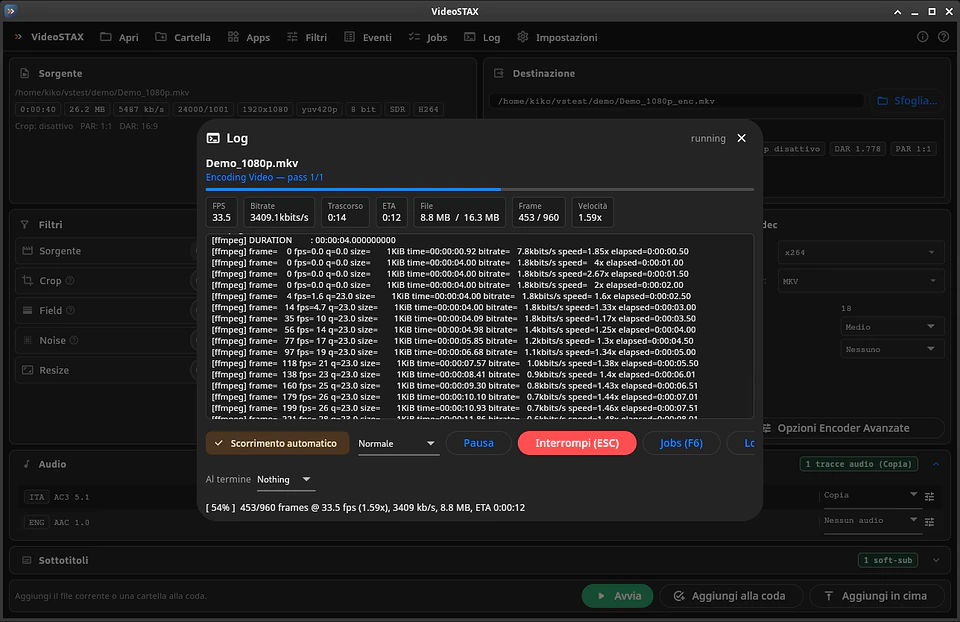
Under the hood it uses well-known tools (FFmpeg, MKVToolNix, VapourSynth), all bundled. Download it from the VideoSTAX page.
Frequently asked questions
Does GPU encoding lose quality?
Every compression loses something, with any encoder. At the same visual quality, hardware encoders usually produce files a little larger than x265 or SVT-AV1; lowering the quality value makes the result indistinguishable for most videos.
Which codec should I pick?
H.264 if the video must play everywhere, even on old devices. H.265 for smaller files at the same quality on devices from the last few years. AV1 for the best compression, if your card can encode it and viewers have a recent player.
Do I need a powerful computer?
No: precisely because the hardware encoder does the work, even a laptop compresses quickly, since a dedicated circuit on the graphics chip does the job instead of the CPU.